Choose your view.
Switch between video with an active caption, captions on their own, or video and a transcript together.
 Chrome extension
Let the video follow your train of thought. Keep videos, captions, or both in an always-on-top window while you get on with your day.
For Chrome 116+ · No extension account needed
Switch between video with an active caption, captions on their own, or video and a transcript together.
Follow the current caption, scroll at your own pace, or jump back to the active line. Word highlighting is available when timing allows.
Adjust text size and the video/transcript split. The player remembers your layout preferences.
YouTube captions and standard HTML5 text tracks, close at hand. When a full YouTube transcript is unavailable, the player can fall back to visible captions.
Get to know Caption Float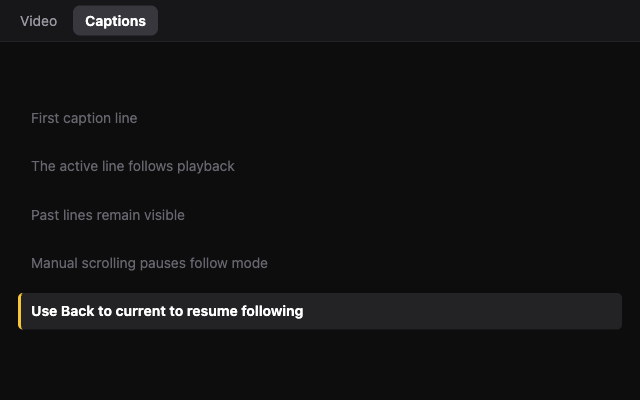
Use YouTube with captions or a page with a standard HTML5 video and text track.
Hover a YouTube video and choose Open floating window, or use Alt + Shift + P on a supported page.
Choose Video, Captions, or Both. Close the window or use the shortcut again to return the video to its page.
Open the extension’s side panel to subscribe to YouTube channels and browse their latest videos using public RSS feeds. Subscriptions use Chrome sync; caption processing stays on your device.
Protected videos, canvas players, cross-origin frames, and custom caption renderers may not work. Captions must be available on the source video.
Google, Google Meet, Google Drive, Chrome, and YouTube are trademarks of Google LLC. Caption Float is an independent product and is not endorsed by Google.